Client campaign tracking checklist for agencies
A pre-launch tracking checklist agencies can use to catch broken destinations, messy UTMs, and unclear campaign ownership before launch.

Linkly Team
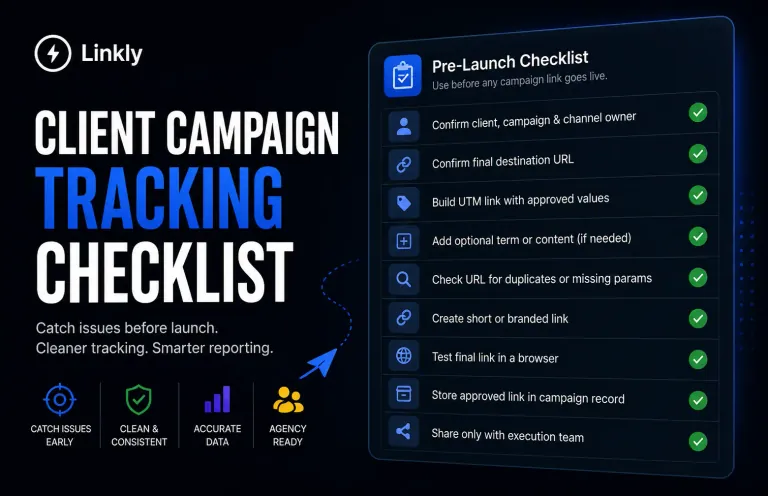
Use this checklist before any client campaign link goes live.
The goal is simple: catch tracking mistakes while they are still cheap to fix. Once a broken link is inside an ad, email, QR code, or influencer brief, cleanup becomes slower and reporting gets harder to defend.
When to use this SOP
Use this checklist during client onboarding, campaign setup, pre-launch QA, and monthly reporting cleanup.
It is designed for agencies that manage:
- Paid media links
- Email campaign links
- Organic social links
- Influencer or partner links
- Branded short links
- Client reporting dashboards
If your team does not already have naming rules, start with the agency UTM naming convention SOP before using this checklist.
The workflow
- Confirm the client, campaign, and channel owner.
- Confirm the final destination URL.
- Build the UTM link with approved source, medium, and campaign values.
- Add optional term or content values only when they help reporting.
- Check the URL for duplicate, missing, or messy parameters.
- Create the short or branded link.
- Test the final link in a browser.
- Store the approved link in the campaign record.
- Share only the approved link with the execution team.
Use Linkly's free UTM builder for the build step so required campaign fields are not skipped.
Naming rules
Every campaign link should answer four questions:
- Which client is this for?
- Which campaign is this part of?
- Which channel created the visit?
- Which asset or placement was clicked?
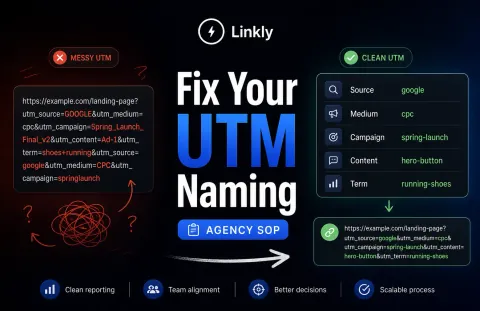
Use the same client and campaign naming pattern across all channels.
Good:
client: acme
campaign: spring-launch
source: linkedin
medium: paid-social
content: carousel-a
Weak:
client: acme
campaign: spring launch final new
source: li
medium: social
content: ad
The weak version may still work as a URL, but it creates reporting ambiguity later.
Review checklist
Before launch, confirm:
- The link opens the right destination
- The destination is not a staging page
- The URL has no spaces
- The URL has no duplicate question marks
- Required UTM fields are present
- Source and medium values match the channel plan
- The campaign value matches the client brief
- The short link redirects correctly
- The link is assigned to the right client or campaign
- The reporting owner knows where to find it
Use the link cleanliness checker to catch obvious URL hygiene issues before the link leaves your team.
Common mistakes
The biggest mistake is testing the wrong URL.
Teams often check the destination page, but not the final tracked link. Always test the exact link that will be pasted into the ad, email, post, or brief.
The second mistake is approving links in scattered places. If one link lives in Slack, another in a spreadsheet, and another inside an ad platform, nobody knows which one is final.
The third mistake is skipping a reporting review. A link can redirect correctly and still create bad analytics data.
How Linkly helps
Linkly's free tools support the checklist without requiring a full workflow change on day one.
Use the UTM builder to construct the URL, then use the link cleanliness checker to review it before launch.
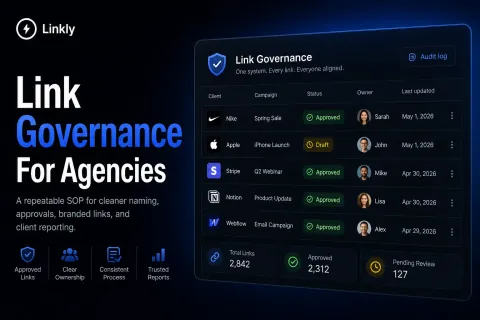
When your agency needs a governed workflow, Linkly keeps client links, campaigns, branded domains, and reports in one place so the approved version does not get lost.
Bottom line
A campaign tracking checklist gives your team a clean handoff.
It makes sure the link works, the data is readable, and the client report will not require detective work later.